

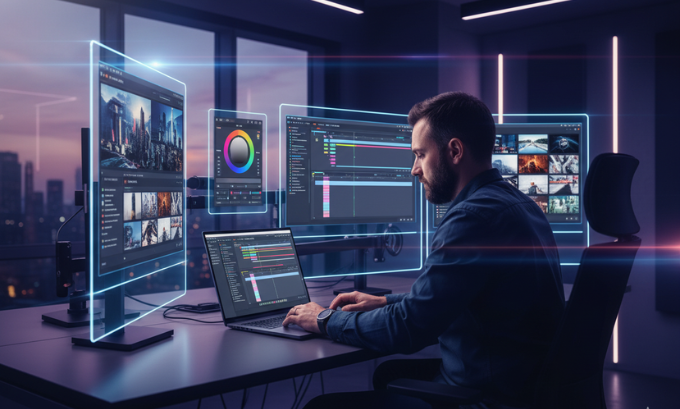
Tired of spending hours editing videos? The world of AI video editing is here to change that. Artificial intelligence is transforming how we create, edit, and distribute video content, making the process faster, smarter, and more accessible than ever before. Whether you’re a professional filmmaker, a YouTube creator, or a marketer, these new tools are designed to streamline your workflow and elevate your final product.
This guide explores the best generative AI tools available today, breaking down their features, strengths, and how they fit into modern content creation and marketing. We’ll look at everything from text-based editing to automated B-roll generation, giving you the insights needed to harness the power of AI in your next project. Ready to see what’s possible? For a deeper dive into the broader tech landscape, check out resources like Twingo Tech Mahindra for insights on digital transformation.
Table of Contents
What is AI Video Editing?
AI video editing uses artificial intelligence algorithms to automate and enhance the video creation process. Instead of manually cutting clips, correcting colors, or adding effects, AI tools can perform these tasks in a fraction of the time. This technology analyzes video and audio content, identifies key moments, and even generates new footage from simple text prompts. The result is a more efficient workflow that empowers creators to focus on storytelling rather than tedious technical tasks.
My Personal Experience with AI Video Editing Tools
As a content creator who once spent entire weekends editing a single 10-minute YouTube video, the rise of AI video editing has been a game-changer. I remember my first time using Descript. I uploaded a raw, hour-long recording of a podcast interview, and within minutes, the tool had transcribed the entire conversation. Instead of scrubbing through a timeline, I was editing the video by simply deleting words and sentences from the text document. It felt like magic.
This initial success led me to explore other platforms. I used Invideo AI to generate a quick promotional video for a marketing campaign. I just typed in a script, chose a voice, and the platform assembled a surprisingly polished video complete with stock footage and background music. While it wasn’t perfect, it saved me hours of searching for B-roll. Tools like Filmora AI and Gling AI have further streamlined my process by automatically cutting out silences and bad takes, a task that used to be my biggest time sink. The impact on my content creation and marketing has been profound, allowing me to produce more content at a higher quality than I ever thought possible.
6 Top AI Video Editing Tools Revolutionizing Content Creation
The market for AI video editing tools is exploding, with new platforms emerging all the time. Here’s a look at some of the leaders in the space, each offering unique features to solve different creative challenges. For those interested in the broader scope of AI, understanding developments in related fields like Facebook subscriptions can provide context on how AI is reshaping digital platforms.
1. Filmora AI: The All-in-One Creative Suite
Filmora AI is a comprehensive video editing software that integrates powerful AI features into a user-friendly interface. It’s designed for both beginners and experienced editors looking to speed up their workflow.

What I Like / Strengths
- AI Text-Based Editing: Edit your video by editing the transcript. This feature is incredibly intuitive and saves a significant amount of time.
- AI Music Generator: Create royalty-free background music tailored to the mood and length of your video.
- AI Smart Cutout: Easily remove backgrounds or isolate subjects without needing a green screen.
Areas for Improvement
- Resource Intensive: Running some of the more advanced AI features can be demanding on your computer’s performance.
- Subscription Model: While powerful, accessing all AI features requires a subscription, which might be a consideration for hobbyists.
2. D-ID Studio: Lifelike AI Avatars
D-ID Studio specializes in creating photorealistic digital avatars from a single image. It uses generative AI to animate faces and sync them with audio, making it a powerful tool for creating training videos, marketing content, and virtual presenters.
What I Like / Strengths
- Hyper-Realistic Avatars: The quality of the facial animation is top-notch, creating believable digital humans.
- API Integration: D-ID offers robust API access, allowing businesses to integrate its technology into their own applications.
- Multi-Language Support: Generate videos in dozens of languages, making it ideal for global campaigns.
Areas for Improvement
- Limited Customization: While the avatars are realistic, the range of expressions and movements can sometimes feel limited.
- Credit-Based Pricing: The pricing model is based on credits per video generation, which can become costly for high-volume users.
3. Gling AI: The YouTuber’s Best Friend
Gling AI is designed specifically for content creators, particularly YouTubers. It automates the tedious parts of editing long-form talking-head videos.
What I Like / Strengths
- AI Text-Based Trimmer: The tool automatically identifies and removes silences, mistakes, and awkward pauses, delivering a clean first cut in minutes.
- AI Title Generator: Get suggestions for catchy, SEO-friendly video titles based on your transcript.
- Simple Interface: Gling is incredibly easy to use, with a minimal learning curve.
Areas for Improvement
- Niche Focus: Its features are highly specialized for dialogue-heavy videos and may not be as useful for other types of content.
- Web-Based Only: As a browser-based tool, it relies on a stable internet connection and may have limitations with very large files.
4. Invideo AI: From Text to Video in Seconds
Invideo AI is a revolutionary platform that generates entire videos from simple text prompts. You provide a script or an idea, and the AI creates a video complete with visuals, voiceovers, and music.
What I Like / Strengths
- AI Faceless Video Generator: Create engaging videos without showing a face, perfect for channels focused on tutorials or informational content.
- Vast Stock Media Library: The platform has access to millions of stock photos and video clips to illustrate your script.
- AI Voiceover Generator: Choose from a variety of natural-sounding AI voices to narrate your video.
Areas for Improvement
- Generic Feel: The reliance on stock media can sometimes make the videos feel impersonal or generic.
- Less Control: While fast, you have less granular control over the final edit compared to traditional software. For those looking for more control, exploring resources like the best coding courses might open doors to developing custom solutions.
5. Descript: The Power of Editing Like a Document
Descript pioneered the concept of text-based video editing and remains a leader in the space. It seamlessly blends video editing, podcasting, and screen recording into one powerful application.
What I Like / Strengths
- Studio Sound: With a single click, this feature removes background noise and enhances voice quality, making it sound like you recorded in a professional studio.
- Overdub: Create an ultra-realistic clone of your own voice, allowing you to correct audio mistakes by simply typing the correction.
- Collaborative Workflow: Multiple users can edit the same project simultaneously, making it great for teams.
Areas for Improvement
- Performance on Large Projects: The software can sometimes become slow or buggy when handling very long or complex projects.
- Learning Curve for Advanced Features: While the basic editing is simple, mastering features like Overdub requires some setup and practice.
6. Opus Clip: Master of the Viral Short
Opus Clip is a generative AI tool that repurposes long-form videos into short, viral clips for platforms like TikTok, Instagram Reels, and YouTube Shorts.
What I Like / Strengths
- AI Curation & Virality Score™: The AI identifies the most compelling hooks in your video and scores their potential to go viral.
- AI B-Roll: The tool automatically adds relevant B-roll to your clips, making them more visually engaging.
- Auto-Reframing: It intelligently reframes horizontal videos into vertical formats, always keeping the speaker in focus.
Areas for Improvement
- Dependent on Source Material: The quality of the clips is highly dependent on the quality of the original long-form video.
- Limited Customization: You have limited control over the specific clips the AI chooses, though manual adjustments are possible.
Comparison of Top AI Video Editing Tools
| Tool | Best For | Unique Feature | Pricing Model |
|---|---|---|---|
| Filmora AI | All-in-one editing | AI Music Generator | Subscription |
| D-ID Studio | Corporate & training videos | Photorealistic Avatars | Credit-Based |
| Gling AI | YouTubers & podcasters | Auto-removes bad takes | Subscription |
| Invideo AI | Faceless content & marketing | Full video generation from text | Subscription |
| Descript | Podcast & interview editing | AI Voice Cloning (Overdub) | Subscription |
| Opus Clip | Social media managers | AI Virality Score™ | Subscription |
If you want to know more about the latest AI tools and trends, you may visit sites like TechBullion to explore how AI is being integrated across different industries. These resources provide a broader perspective on the technological shifts influencing content creation.
The Broader Impact on Content Creation and Marketing
The rise of AI video editing is democratizing content creation. What once required expensive equipment and years of training is now accessible to anyone with a computer. This shift is having a massive impact on marketing and business communications. Brands can now produce high-quality video content at scale, from social media ads to internal training modules, without a large production budget. Exploring various SEO tools can further enhance the reach of this AI-generated content.
AI-powered video editing features like auto color correction, motion stabilization, and noise removal are becoming standard, raising the bar for what audiences expect. For marketers, tools like Opus Clip are invaluable for creating a high volume of social media content, while platforms like D-ID Studio offer innovative ways to engage customers with personalized video messages. This wave of innovation is making video a more central and scalable part of any content creation and marketing strategy.
Frequently Asked Questions (FAQ)
1. Can AI replace human video editors?
Not completely. While AI can handle many technical and repetitive tasks, it currently lacks the creative intuition, emotional understanding, and storytelling ability of a skilled human editor. AI is best seen as a powerful assistant that frees up human editors to focus on the creative aspects of their work.
2. Are AI video editing tools good for beginners?
Yes, many AI tools are incredibly beginner-friendly. Platforms like Invideo AI and Gling AI are designed to automate complex processes, allowing newcomers to create polished videos with minimal effort. They are a great entry point into the world of video production.
3. What is the best AI video editor for YouTube?
For YouTubers, a combination of tools is often best. Gling AI is excellent for quickly editing talking-head footage. Descript is powerful for interview-style content. Filmora AI offers a great all-around package with creative effects and a music generator.
4. How much do AI video editing tools cost?
Prices vary widely. Some tools offer free basic plans, while others operate on a monthly subscription model, typically ranging from $15 to $50 per month. More specialized platforms like D-ID Studio use a credit-based system that can be more expensive for heavy users.
5. Can AI generate a full video from scratch?
Yes, platforms like Invideo AI are designed to do just that. You provide a text prompt or script, and the AI generates a complete video with visuals, a voiceover, and music. While the results are improving, they may still require some manual tweaking for a truly professional finish.
6. Is the content generated by AI tools copyright-free?
This is a complex and evolving area of law. Most tools that use licensed stock media (like Invideo AI) ensure the final video is safe for commercial use. However, for tools that generate entirely new visuals or music, the copyright status can be ambiguous. Always check the terms of service for the specific tool you are using. Knowing how to deactivate Facebook or other social accounts where you post content is also useful if a copyright issue arises.
7. How can I protect my online accounts when using these tools?
It’s always wise to practice good digital hygiene. Use strong, unique passwords for each service and enable two-factor authentication whenever possible. For more information on protecting your digital presence, resources on topics like how to secure my Facebook account from hackers can be very helpful.
Your Future with AI Video Editing
The integration of artificial intelligence into video editing is not just a passing trend; it’s a fundamental shift in how visual stories are told. From automating tedious tasks to generating entire videos from a single line of text, generative AI tools are empowering creators and businesses to produce more content, faster than ever before. Platforms like Filmora AI, Descript, and Opus Clip are just the beginning. As technology continues to advance, the line between human and machine-driven creativity will blur even further.
The key is to embrace these tools not as replacements for human creativity, but as powerful collaborators. By offloading the technical grunt work to AI, you can dedicate more time to what truly matters: crafting compelling narratives that resonate with your audience. The future of video creation is here, and it’s more accessible, efficient, and exciting than ever. To keep up with the fast pace of change, consider exploring education technology jobs and other roles at the intersection of tech and content.
Author Bio
This article was written by a professional content strategist and tech writer with over a decade of experience in the digital media industry. They specialize in breaking down complex technologies and helping creators and businesses leverage new tools for growth.
References
- Insights from leading tech publications and industry analysis on AI in media.
- Direct user experience and testing of the software mentioned.
- Official documentation and feature lists from Filmora, D-ID, Gling, Invideo, Descript, and Opus Clip.
